
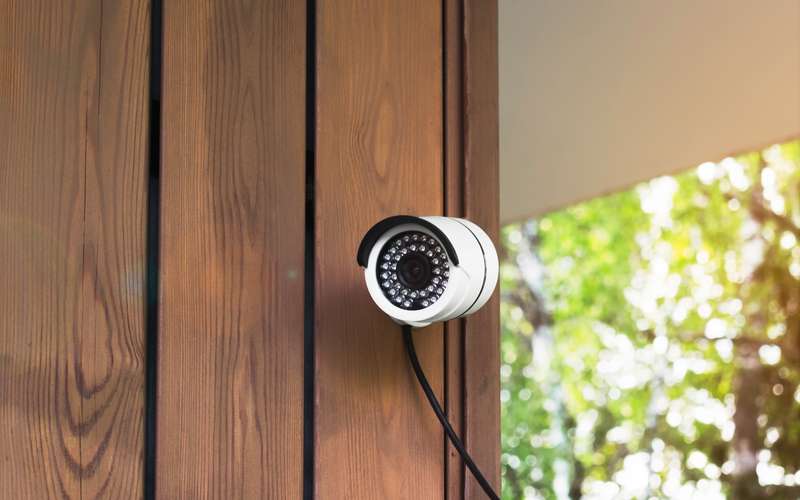
Cameras are the quiet data users: they work every hour and nobody watches the clock. This guide uses Google's published monthly figures for Nest cameras, Arlo's published upload needs, and one rule for turning a bit rate into gigabytes. The sister guide on camera upload use covers the speed side.
Takeaways
- Google's Nest table lists typical monthly data with 24/7 video recording from 30 GB to 400 GB, by model and quality setting.
- Arlo lists upload needs of 1 to 3 Mbps per camera, by model.
- Rule: each 1 Mbps sent for an hour is 0.45 GB, so each Mbps sustained all day is about 10.8 GB and about 324 GB in 30 days.
- Ask the office whether uploads count toward the limit; the agreement does not say.
What does Google publish for Nest?
Google's help article on bandwidth for Nest cameras (read 10/15/26) says a camera with 24/7 or event video history “streams live video and uses bandwidth whenever it is turned on,” while a camera without those plans uploads video only when someone watches live, plus small snapshots and notifications. Its table of typical monthly data with 24/7 recording lists: Nest Cam (battery) and Nest Cam (wired), High 200 GB and Max 300 GB; Nest Cam IQ Indoor and Outdoor, Low 100 GB, Medium 250 GB and High 400 GB; Nest Cam Indoor and Outdoor, Low 30 GB, Medium 120 GB and High 300 GB; Nest Cam Indoor (wired, 3rd gen), Low 100 GB, Medium 200 GB and High 300 GB.
Google calls them high-end estimates that vary. The pattern is clear: quality setting moves the number as much as model does.
What does Arlo publish?
Arlo's minimum requirements page (read 10/15/26) lists upload needs per camera: the Ultra Series needs 3 Mbps; the Pro Series (Pro 3 and newer) needs 2 Mbps; the Essential Series needs 2 Mbps; the wired Floodlight Camera needs 2 Mbps; video doorbells need 2 Mbps per doorbell; and all other Arlo cameras each need 1 Mbps. These are upload speeds the camera wants, not a measure of monthly data, because a camera sends at that rate only while it is recording or streaming.
Still, the figures give a ceiling. Two cameras that each need 2 Mbps, recording all day, would send a combined service rate of 4 Mbps times 0.45 GB per hour times 24 hours, which is 43 GB a day and about 1,296 GB in 30 days. Few homes see that, because most recording is triggered by motion.
How do you turn a bit rate into gigabytes?
One megabit per second for one hour is 3,600 megabits, or 0.45 GB, because 8,000 megabits make a gigabyte. So multiply: bit rate in Mbps, times 0.45, times hours recording per day, times 30. A 1 Mbps camera recording 24 hours a day is 1 times 0.45 times 24 times 30, which is 324 GB. The same camera recording 2 hours of motion a day is 27 GB. Google's 300 GB for the Max setting is consistent with a service rate near 1 Mbps all day.
That is why the first question is how a camera records. Continuous cloud recording is the heavy case; motion-only is moderate; a memory card or a recorder in the house sends nothing out until you watch.
Do camera uploads count against a limit?
High Desert's service agreement says each service level has a data transfer limit, with the size available by emailing info@hdiss.net, and that going over costs $1 per gigabyte in a billing cycle. It does not say whether downloads, uploads or both are counted. Ask the office before you set up several cameras on continuous cloud recording.
For scale, one camera with a service rate of 1 Mbps, at 324 GB a month would, if all of it counted and the household were already over its limit, add up to $324 in overage. That is arithmetic to show why asking first is worth the email.
How to cut a camera's data
Lower the video quality setting; Google says the setting is a ceiling and the camera adjusts to available bandwidth. Switch from continuous to event recording where the use allows. Use local storage, a card or a recorder, for the busiest cameras. Point cameras so that wind and trees do not trigger constant motion. Our remote camera guide and smart device security cover siting and safety.
If the provider question is still open, the check form takes your address. A person looks at the path from the nearest tower and calls you back, and you can ask about cameras on that call.
Sources
- support.google.com/googlehome/answer/9245832?hl=en (Google Home and Nest Help, bandwidth and speed requirements for Nest cameras, read 10/15/26)
- kb.arlo.com/000062043/What-are-the-minimum-requirements-for-installing-and-using-my-Arlo-s (Arlo, minimum requirements, read 10/15/26)
- hdiss.net/terms-of-use/ (HDISS Service Agreement V 1.12, section 1, read 10/15/26)