
- Usually a fit: Bronze
Internet for security cameras and a smart home
Cameras send video from your house to the internet, so upload speed is the number to watch, and every High Desert plan lists up to 200 Mbps up. Doorbells, thermostats and smart plugs use almost nothing; a handful of cameras is the real load.
- No contracts
- Local support
- 4.8 on Google (36 reviews)
- Since 2002
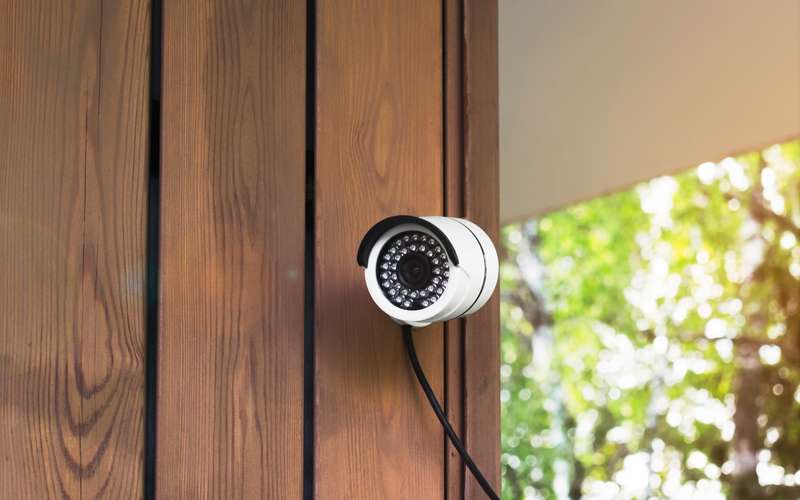
A security camera on a house. Stock photo: Adobe Stock. Photo credits
A customer wrote in May 2025 that the connection "runs my cameras as well as streaming all day all night" (Veronica S., Google review). It is one reviewer's report, not a promise, but it is the right picture of how a rural house uses its upload.
Why is upload the number that counts?
Streaming a movie pulls data down to the house. A camera pushes video up from it, to a phone app or a cloud account. Plans sold by download speed can hide a thin upload, and a few cameras recording to the cloud are enough to notice. High Desert lists up to 200 Mbps up on Bronze, Silver and Gold alike, so the choice of plan changes your download headroom, not the upload figure printed on the card.
How much upload does each camera use?
It depends on the model, the picture quality and whether it records all day or only on motion. Camera makers publish a figure for each model on their own help pages; look yours up, because the numbers differ by brand and resolution.
For a cautious plan on paper, count each camera as one HD video stream going up. The FCC's Broadband Speed Guide lists HD video at 5 to 8 Mbps, which is a stand-in here for a camera, not a camera figure, and is our assumption. Eight cameras at the FCC's 8 Mbps each come to about 64 Mbps, which still fits well inside up to 200 Mbps up. The camera upload guide and the camera data guide go brand by brand.
Do cameras count toward the data limit?
Each plan has a data transfer limit, with sizes by email at info@hdiss.net, and the service agreement charges $1 per gigabyte over it in a billing cycle. The agreement does not say whether uploads count toward the limit, so ask at 775-575-9593 before you add cameras. A camera that uploads all day to the cloud will use more than one that records to a card and uploads clips when something moves. If you use local recording, you save data and keep working through an outage of the internet itself.
What does a smart home add?
Very little. Thermostats, plugs, door sensors and smart speakers send small messages. Their weakness is not speed but Wi-Fi range and power. When the internet drops, many smart devices lose their cloud features, which is why the smart home outage guide lists which ones keep working locally. For maker-specific setup, see the articles on Ring, Arlo and Wyze.
Can a camera reach the barn, the gate or the yard?
Sometimes. A second building is a Wi-Fi or cable question first, covered in the guide on Wi-Fi to a shop, barn or guest house. A yard or job site with no building is a different case, because the antenna needs power and a path to the tower; see remote cameras on a yard. Ask us about any second location before you plan on it, and ask whether it counts as a separate service. A camera that sits on the same Wi-Fi as the house but far from the router is a frequent cause of a feed that drops, so the fix there is usually a closer access point, not a bigger plan.
Power is the other limit: the radio and power injector stop when electricity stops, so a camera system on the same connection goes quiet during an outage unless the equipment has a battery backup.
Which plan for a camera house?
Because upload is the same everywhere, Bronze at $50 a month often covers a camera system. Move up to Silver at $75 or Gold at $99 when the people in the house also stream and game while the cameras run. Send your address and a person will check the path to the tower, then call you with what we found.
Sources
- fcc.gov/consumers/guides/broadband-speed-guide (FCC Broadband Speed Guide, figures read 2026-10-15)
- hdiss.net/services/ (High Desert plan cards, read 2026-10-15)
- hdiss.net/terms-of-use/ (HDISS Service Agreement V 1.12, data transfer limit and $1 per GB over, read 2026-10-15)
- hdiss.net/ (High Desert plan cards, upload up to 200 Mbps, read 2026-10-15)
Talk to a person
- Call 775-575-9593 775-391-5660 Open 9-5 every day
- Email info@hdiss.net
Related
Local since 2002
Fixed wireless from towers in Northern Nevada. Three plans, no contracts, local support, 4.8 on Google from 36 reviews.
About High DesertSheet 02 / Plans
Which plan runs it
$50 a month
Up to 500 Mbps down Up to 200 Mbps up
Runs a household: a 4K TV, a video call and a game at the same time, with room left over.
Check my address$75 a month
Up to 800 Mbps down Up to 200 Mbps up
More headroom: a full house online at once, several 4K TVs, work from home and big downloads.
Check my address$99 a month
Up to 1 Gig down Up to 200 Mbps up
The most headroom we sell: large households, a home office, cameras, backups and everything else at once.
Check my addressEvery speed is an up-to figure. What you see depends on the path from the tower to your roof, how many people are online and your Wi-Fi router. Each plan has a data transfer limit; ask us for yours at info@hdiss.net.
Ask about 1 Gig / 1 Gig.
Our ultra-low-latency service with upload as fast as download, in some areas. Check your address and tick "Ask about 1 Gig / 1 Gig" and we will tell you if your address can get it. About the 1 Gig / 1 Gig service.
Prices and speeds as published by High Desert Internet Services (hdiss.net, read 10/15/26). "Runs" lines use the FCC Household Broadband Guide and Broadband Speed Guide (fcc.gov), which the FCC calls rough guidelines; every High Desert plan is above the FCC's highest household band of more than 25 Mbps. Not sure which plan? Use the plan picker.
Is up to 200 Mbps up enough for many cameras?
On paper, yes for most homes: eight HD cameras counted at the FCC's HD video range total about 64 Mbps. Real cameras differ, so check your model's published figure.
Will my cameras work during a power outage?
Not through the internet. The antenna and injector need power, so a battery backup is the only way to keep them online.
Open 9-5 every day
Can we reach your roof?
Send the address. A person looks at the path from our nearest tower and calls you back: clear, not clear, or we need to look at it from your roof.
- No contracts
- Local support
- 4.8 on Google (36 reviews)
- Since 2002
High Desert Internet Services, PO Box 11353, Reno NV 89510. info@hdiss.net